Configurators & product tools
Let users explore products, change options and compare materials or variants. Connect visual choices to the rules and interactions your product needs.
 GAMELANCE
CUSTOM UNREAL ENGINE APPLICATIONS
Applications for exploring, configuring, presenting and learning in 3D. We combine Unreal Engine development, interactive content and application logic to build software around your users and workflow.
DEVELOPMENT SCOPE
Start with what people should be able to see, change or understand. The use cases below can stand alone or combine in a custom application, with the interface, content and systems designed around the task.
Let users explore products, change options and compare materials or variants. Connect visual choices to the rules and interactions your product needs.
Interactive property walkthroughs, architectural presentations and spatial experiences. Give users control over how they navigate and explore an environment.
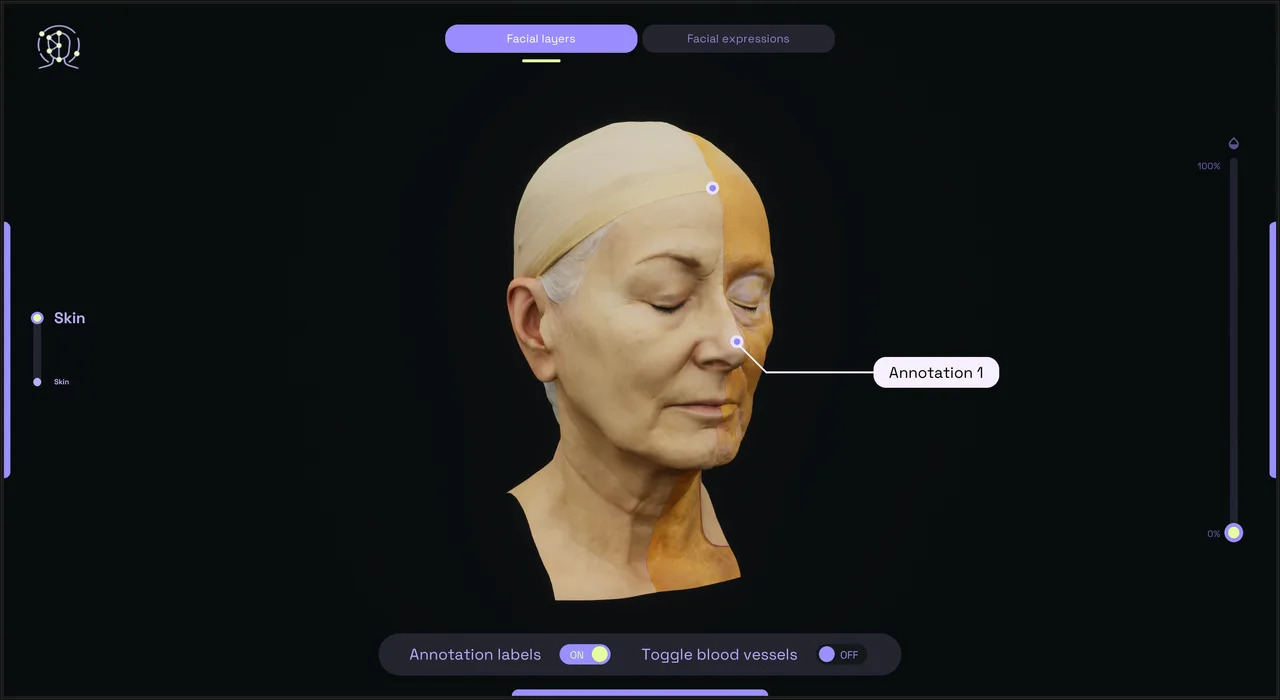
Make complex subjects easier to explore through 3D layers, annotations, animations and guided interaction. Applications can support teaching, demonstrations and self-paced learning.
Custom model viewers, interactive exhibits and sales or technical demonstrations. Build the navigation and presentation controls around the content and audience.
Represent a process, demonstrate how a system behaves or build a tool for a specific task. Define the interactions, rules and feedback around the workflow you want to support.
Unreal Engine architecture, interfaces, asset integration, annotation systems and application logic. Scope data connections, performance and deployment around the target setup.
RELEVANT WORK
Project context, development responsibilities and media, with the full story in each case study.
IPAD & WINDOWS · INTERACTIVE APPLICATION
Complete Unreal Engine application architecture, interaction systems, medical-asset integration, annotation tooling and cross-platform delivery for iPad and Windows.
View case studyWORKING TOGETHER
Identify who will use the application, what they need to do and where it will run. Review the available 3D content and any data or integration requirements.
Agree the scope and review milestones, then develop the interfaces, interactions and underlying systems around the intended experience.
Test the workflow and performance on the target devices. Agree the builds, source, documentation and training your team needs to operate or extend the application.
BEFORE WE START
Have a different question? Include it in your project brief.
The service covers custom interactive software built with Unreal Engine. Configurators, architectural exploration, educational tools, visualization and simulation are examples. Your users, content and required interactions determine the application’s scope.
No. Interactive 3D software can be designed for conventional screens and controls. Our Facial Anatomy & Aesthetics project was developed for iPad and Windows. We discuss the target devices and distribution requirements at the start.
We can assess your existing assets for integration into Unreal Engine. Share the formats, content volume and required visual detail so we can identify any preparation, optimization or additional asset work needed.
Describe your audience, what users should be able to do, the devices or setting they will use and any existing assets or data. A short workflow description or reference application is useful; a complete specification is not needed to start the conversation.
DISCUSS YOUR PROJECT
Tell us about the users, the 3D content and the interactions you have in mind. We’ll discuss how those requirements translate into an Unreal Engine application.